I was wondering if there is any way to keep the internal RTC clock of the TinyScreen+ to keep the time and date while the TinyScreen+ is off. My TinyScreen+ has a battery on it, so ideally the battery would keep the RTC going.
This section allows you to view all posts made by this member. Note that you can only see posts made in areas you currently have access to.
Pages1
#1
TinyDuino Processors & TinyShields / Tinyscreen+ keep RTC alive while tunr off
September 18, 2020, 03:47:38 AM #2
Tiny Arcade & Pocket Arcade / Displaying the weather in the TinyArcade
January 17, 2017, 10:57:00 AM
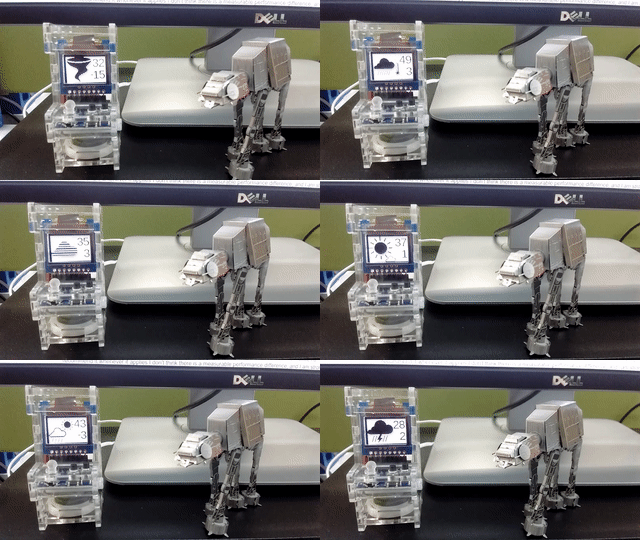
I just wanted to share with you a project I developed over the past few days, now you can use your TinyArcade as a weather display 

All the code and the instructions are in github: https://github.com/pjimenezmateo/tinyarcade-weather-display


All the code and the instructions are in github: https://github.com/pjimenezmateo/tinyarcade-weather-display
#3
Tiny Arcade & Pocket Arcade / [Solved] Cannot get the serial port to work after uploading a sketch
January 03, 2017, 10:46:44 AM
Hello all,
I am programming the TinyArcade, using Ubuntu.
I have a basic modification of TinyScreenBasicExample.ino:
My problem is that after uploading the sketch, the TinyArcade disconnects from the serial port and I am unable to send/receive any data.
Also, I might be uploading the sketch incorrectly, the only way I found my code to run (still without the serial part) was uploading the code as "TinyArcade Menu", the "Binary for SD card" option does not seem to work.
Can somebody help me with those issues? How should I create the binary to upload it to the SD card like the example games are?
Thanks!
I am programming the TinyArcade, using Ubuntu.
I have a basic modification of TinyScreenBasicExample.ino:
Code Select
void setup(void) {
Wire.begin();//initialize I2C before we can initialize TinyScreen- not needed for TinyScreen+
display.begin();
//setBrightness(brightness);//sets main current level, valid levels are 0-15
display.setBrightness(10);
Serial.begin(9600);
}
void loop() {
Serial.print("hello!");
}
My problem is that after uploading the sketch, the TinyArcade disconnects from the serial port and I am unable to send/receive any data.
Also, I might be uploading the sketch incorrectly, the only way I found my code to run (still without the serial part) was uploading the code as "TinyArcade Menu", the "Binary for SD card" option does not seem to work.
Can somebody help me with those issues? How should I create the binary to upload it to the SD card like the example games are?
Thanks!
Pages1
SMF spam blocked by CleanTalk